
Published: April 29, 2026
We're excited to introduce the new Shortcuts Menu, a customisable navigation feature designed to help users access their most frequently used pages, reports and actions faster.
Instead of navigating through multiple menus each day, users can now build a personalised Shortcuts Menu from the top navigation bar.

From the Shortcuts Menu, you can search any pages, reports or actions then drag and drop them into My Shortcuts.
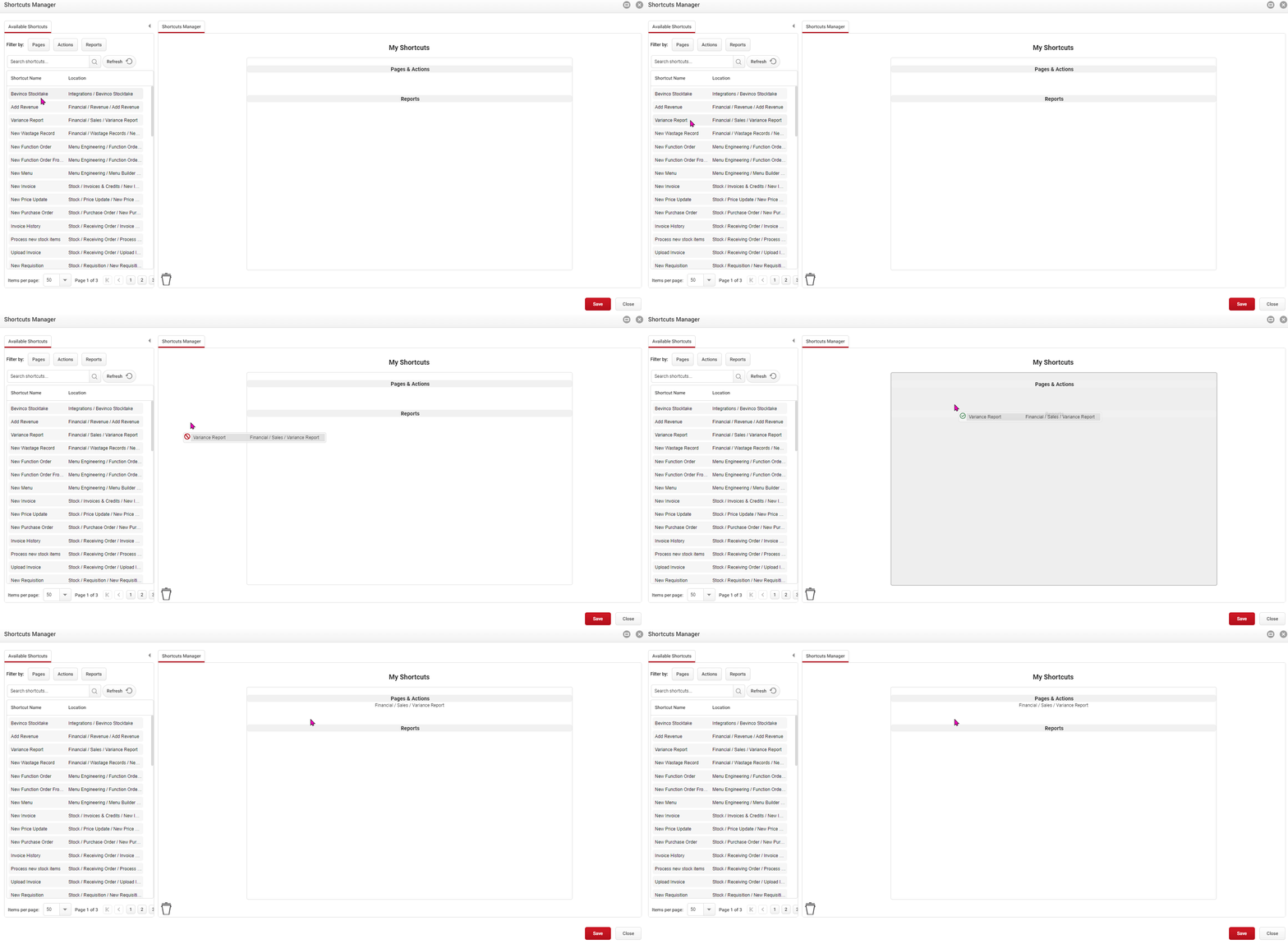
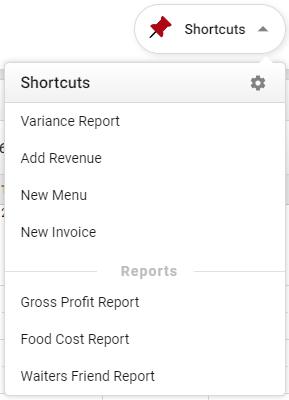
Click image to enlarge Once you hit Save, the selected options will be available under the Shortcuts Menu icon on your top navigation bar when you select the drop down arrow.
Want to learn how to setup and manage the Shortcuts Menu? Click here to learn more about the Shortcuts Menu!
Still have questions? Find out how to contact us here!